
Best Desk Accessories (2026) — 8 Picks Actually Worth Buying
best desk accessories
Best Desk Accessories That Are Actually Worth Buying in 2026
Let’s be honest — most desk accessories are clutter in disguise. You buy them, use them for a week, and they end up collecting dust. But the right desk upgrades? They genuinely transform how you work, feel, and focus every single day.
We spent weeks testing and researching the best desk accessories that real people actually keep on their desks long after the novelty wears off. No gimmicks, no filler — just the essentials that earn their spot on your workspace in 2026.
(Affiliate Disclosure: This post contains affiliate links, meaning we may earn a commission if you purchase through our links at no extra cost to you.)
Why Your Desk Setup Actually Matters
Studies consistently show that your physical workspace directly impacts productivity, creativity, and even your mood. A cluttered, uncomfortable desk drains your energy before you even start working. On the other hand, a thoughtfully organized desk with the right accessories can help you stay focused longer, reduce strain, and make your workday feel significantly less exhausting.
Here’s what the best desk accessories should do for you:
- Reduce physical strain: Proper ergonomics prevent wrist pain, neck tension, and back problems that build up over months of desk work.
- Eliminate clutter: Cable management and organizers free up mental space so you can actually think clearly.
- Improve focus: The right lighting and noise control tools help you get into deep work faster and stay there.
- Save time: Accessories like wireless chargers and docking stations remove small daily frustrations that add up.
- Boost your mood: A desk that looks and feels good makes you want to sit down and get to work.
The 8 Best Desk Accessories Worth Your Money in 2026
We evaluated dozens of desk accessories and narrowed it down to these eight. Each one solves a real problem and is something you’ll actually use every day.

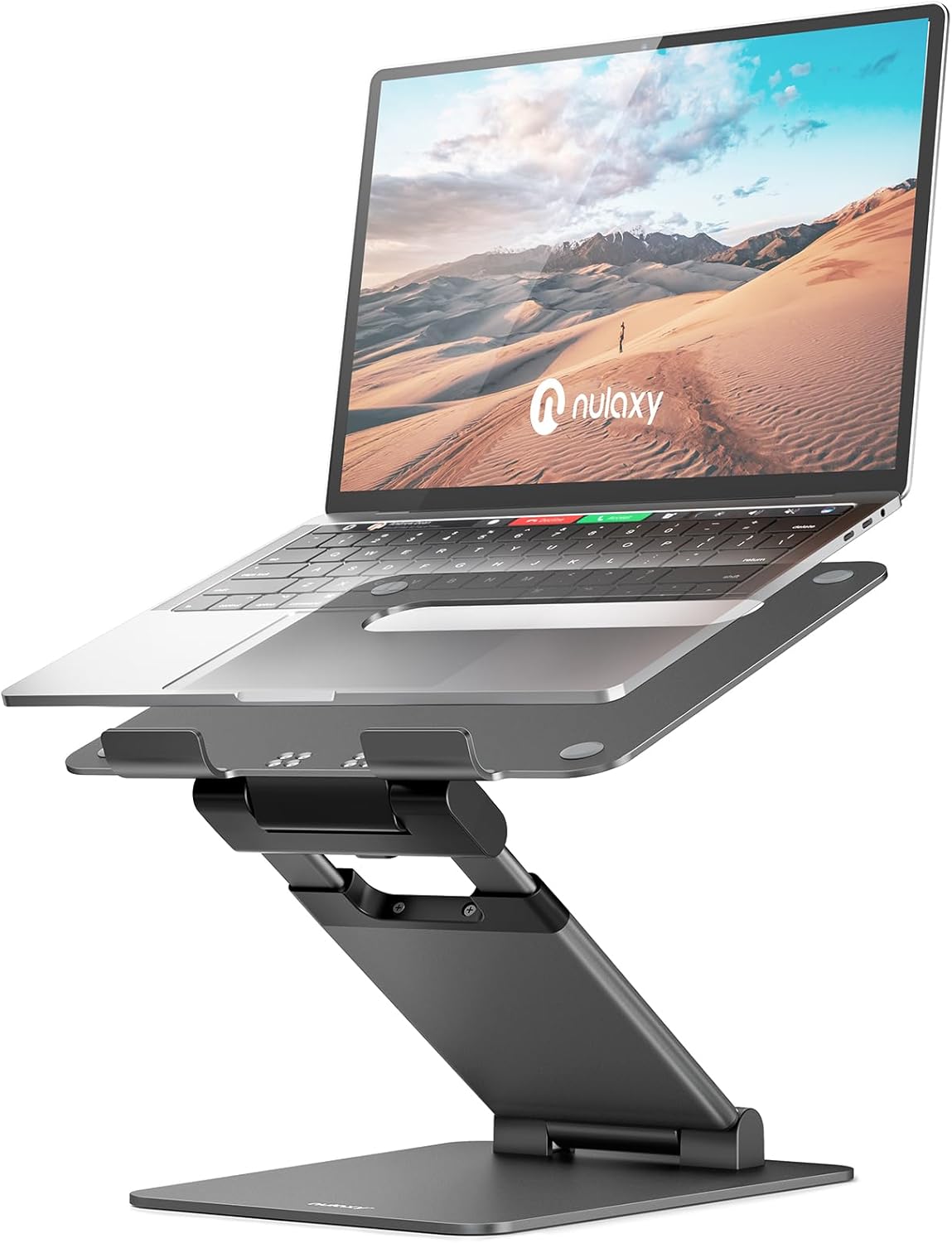
1. Nulaxy Ergonomic Laptop Stand
If you only buy one desk accessory, make it a laptop stand. Raising your screen to eye level is the single most impactful ergonomic improvement you can make. The Nulaxy stand is aluminum, adjustable, and foldable for travel.
- Eye-level alignment: Raises your laptop 6–9 inches, eliminating the downward head tilt that causes neck pain.
- Premium build: Aluminum alloy construction that’s sturdy enough for 17″ laptops yet weighs under 1 lb.
- Improved airflow: Open-back design keeps your laptop cooler, preventing thermal throttling during heavy tasks.
- Portable: Folds flat for easy backpack storage — great for hybrid workers and coffee shop setups.
Free shipping with Amazon Prime

2. Under-Desk Cable Management Tray
Cable clutter is the #1 reason desks look messy. This under-desk tray hides everything — power strips, chargers, cables — in under 10 minutes with no drilling required.
- Zero visible cables: Routes all wires underneath your desk for a completely clean surface.
- No-drill install: Clamp-on design works with any desk thickness — renters rejoice.
- Holds a full power strip: Large enough for a 6-outlet surge protector plus all your chargers.
- Steel construction: Won’t sag or flex under weight like plastic alternatives.
Free shipping with Amazon Prime

3. BenQ ScreenBar Monitor Light
If you get headaches or dry eyes by the end of the workday, bad lighting is likely the culprit. The BenQ ScreenBar clips to your monitor and lights your desk without glare — a game-changer for late-night work sessions.
- Zero screen glare: Asymmetric optics light your desk only — not your screen.
- Auto-dimming sensor: Adjusts brightness automatically based on ambient light conditions.
- No desk space used: Clips directly onto your monitor bezel — saves valuable real estate.
- USB powered: Connects to your monitor’s USB port — no extra outlet needed.
Free shipping with Amazon Prime

4. Large Felt Desk Mat (36″ × 17″)
A quality desk mat is the fastest way to make any desk look 10× better. It protects your surface, cushions your wrists, and gives your entire setup a cohesive, polished look.
- Instant desk upgrade: Makes any desk — even a cheap one — look clean and intentional.
- Dual-purpose surface: Works as both a desk protector and an oversized mouse pad.
- Waterproof & easy to clean: PU leather wipes clean in seconds — no stains from coffee spills.
- Non-slip backing: Stays firmly in place even with heavy keyboard and mouse use.
Free shipping with Amazon Prime

5. 3-in-1 Wireless Charging Station
Stop fumbling with three separate chargers. This station charges your phone, smartwatch, and earbuds simultaneously from a single spot on your desk. One cable in, three devices charged.
- Three devices, one cable: Charges iPhone/Android, Apple Watch/Galaxy Watch, and AirPods/earbuds simultaneously.
- Fast charging: Up to 15W for phones, 5W for watches and earbuds — no slow trickle.
- Case-friendly: Works through cases up to 8mm thick — no need to remove your phone case.
- Compact footprint: Takes up less space than a coffee mug on your desk.
Free shipping with Amazon Prime
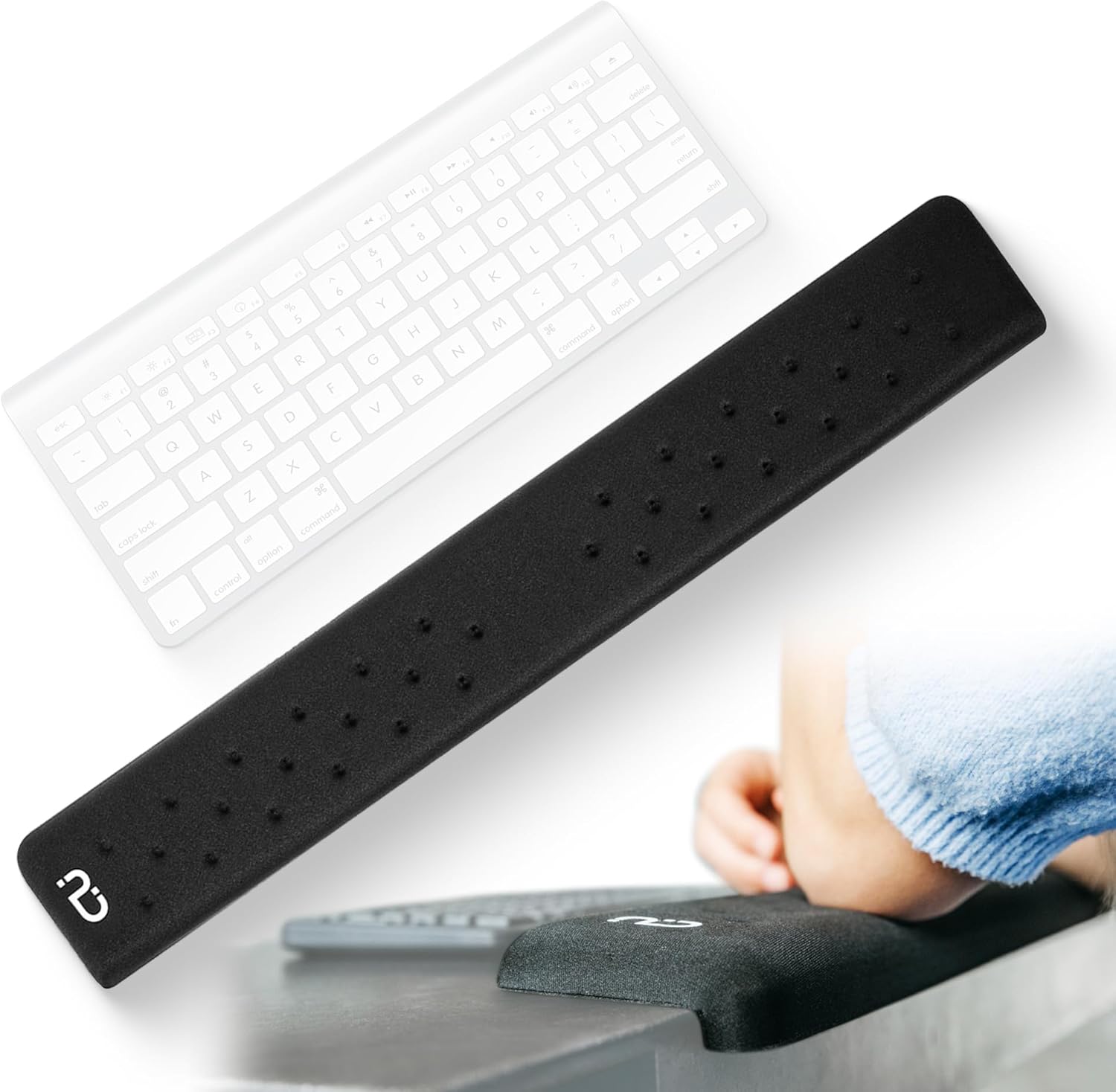
6. Memory Foam Keyboard Wrist Rest
If you type for hours daily, your wrists are quietly suffering. A memory foam wrist rest maintains a neutral wrist angle, reducing pressure on the carpal tunnel and preventing long-term damage.
- Medical-grade memory foam: Conforms to your wrist shape without flattening over time.
- Ergonomic angle: Keeps wrists in a neutral position to prevent repetitive strain injuries.
- Non-slip rubber base: Stays locked in place during intense typing sessions.
- Easy-clean cover: Removable, machine-washable fabric cover.
Free shipping with Amazon Prime
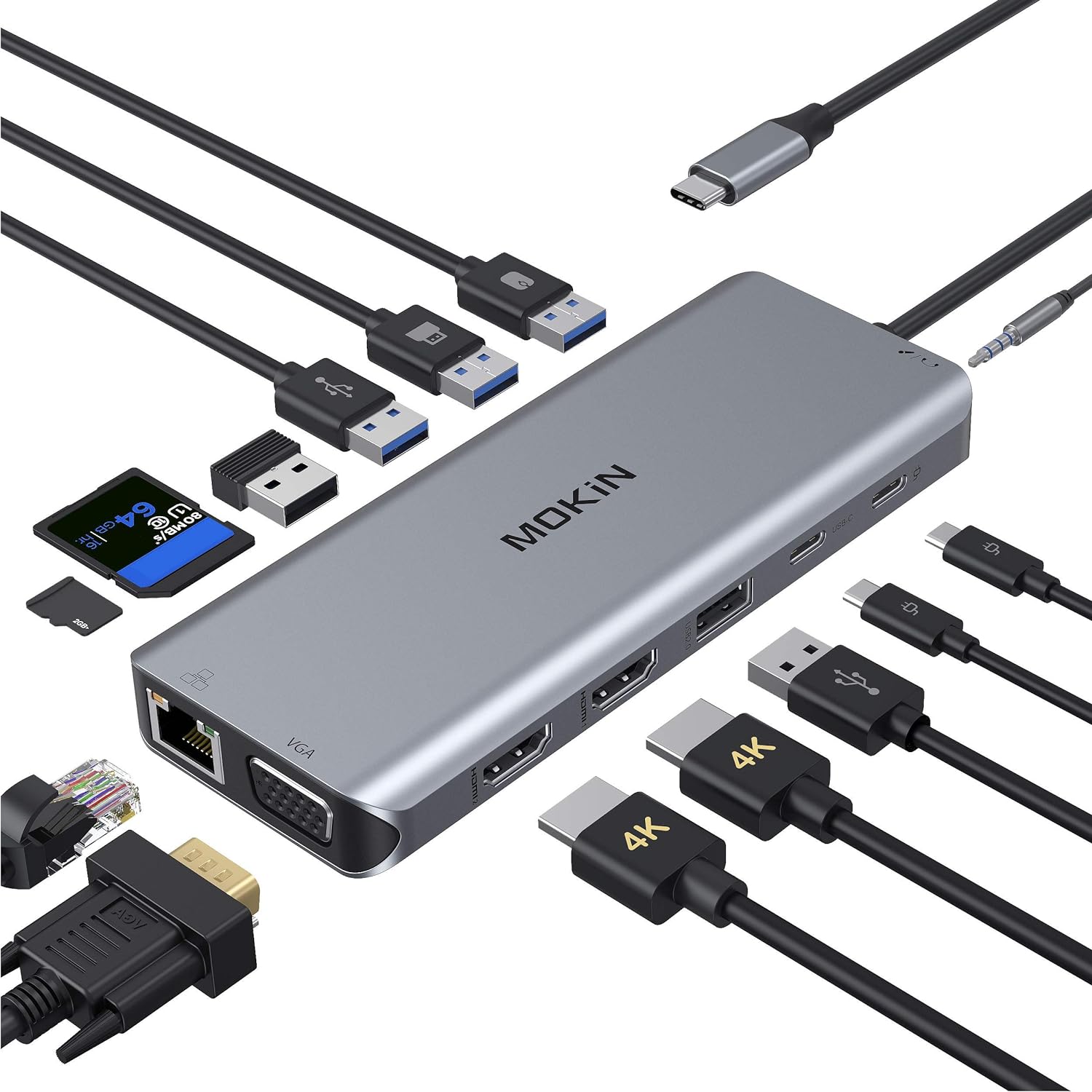
7. USB-C Docking Station (12-in-1)
The single best productivity investment for laptop users. Plug in one USB-C cable and instantly connect to dual monitors, Ethernet, USB drives, SD cards, and more. Sit down, plug in, start working.
- 12 ports, 1 cable: Dual HDMI, 3× USB-A, 2× USB-C, Ethernet, SD/microSD, audio jack, 100W pass-through charging.
- Dual monitor support: Extends to two external 4K displays at 60Hz — no adapters needed.
- 100W Power Delivery: Charges your laptop while connected — so your battery never drains at the desk.
- Universal compatibility: Works with MacBook, Dell, HP, Lenovo, and all USB-C laptops.
Free shipping with Amazon Prime

8. Live Pothos Plant in Ceramic Pot
It might sound simple, but a live desk plant is one of the most research-backed productivity boosters you can add to a workspace. Studies show plants reduce stress by up to 37% and increase productivity by 15%.
- Proven stress reducer: Research from the University of Exeter shows desk plants reduce anxiety and boost creative output.
- Nearly unkillable: Pothos thrives in low light and only needs water every 1–2 weeks — perfect for forgetful people.
- Air purification: NASA-studied plant that removes formaldehyde and other common indoor pollutants.
- Aesthetic anchor: Adds a living, organic element that makes any desk feel warmer and more inviting.
Free shipping with Amazon Prime
Quick Comparison: All 8 Desk Accessories
| Product | Category | Best For | Price Range |
|---|---|---|---|
| Nulaxy Laptop Stand | Ergonomics | Neck & back pain relief | $25–35 |
| Cable Management Tray | Organization | Hiding all cables | $15–20 |
| BenQ ScreenBar | Lighting | Eye strain reduction | $99–109 |
| Felt Desk Mat | Aesthetics | Desk protection & looks | $12–18 |
| 3-in-1 Wireless Charger | Charging | Multi-device charging | $25–40 |
| Keyboard Wrist Rest | Comfort | Carpal tunnel prevention | $12–18 |
| USB-C Docking Station | Connectivity | One-cable laptop setup | $45–70 |
| Pothos Desk Plant | Wellness | Stress reduction | $15–25 |
How to Choose the Right Desk Accessories for Your Setup
Not everyone needs the same desk accessories. The best approach is to identify your biggest daily frustration and solve that first. Here’s a quick framework:
If You Get Neck or Back Pain
Start with an ergonomic laptop stand and a wrist rest. These two accessories address the most common posture problems for desk workers. Together, they keep your screen at eye level and your wrists in a neutral position, which eliminates the two biggest sources of desk-related strain.
If Your Desk Always Looks Messy
A cable management tray and a desk mat will transform your workspace in under 20 minutes. The tray hides the cable spaghetti, while the mat gives everything a clean, unified surface. These are the highest visual-impact upgrades available for under $35 combined.
If You Work Late or in Low Light
The BenQ ScreenBar is non-negotiable. Traditional desk lamps create glare on your screen and take up surface space. A monitor-mounted light bar solves both problems while automatically adjusting to your room’s brightness level.
If You’re a Laptop User
A USB-C docking station is the single biggest workflow improvement you can make. Instead of plugging in 4–5 cables every time you sit down, you connect one cable and everything works — monitors, keyboard, mouse, Ethernet, and power.
Frequently Asked Questions About Desk Accessories
At minimum, most people benefit from a laptop stand (for ergonomics), a cable management solution (for organization), and a desk mat (for surface protection). These three items solve the most common workspace problems for under $70 total. Beyond that, the best accessories depend on your specific setup and daily frustrations.
It depends on the category. For desk mats and cable trays, budget options work perfectly fine. However, for items like monitor lights and docking stations, investing in quality genuinely matters — cheap versions often have flickering LEDs, unreliable connections, or compatibility issues that create more problems than they solve.
With a small desk, vertical solutions are key. Use a laptop stand to lift your screen and free up surface space. Route cables underneath with a management tray. A compact 3-in-1 wireless charger replaces three separate chargers. And a desk mat defines your working zone while keeping things looking tidy even on a compact surface.
Yes — multiple peer-reviewed studies confirm this. Research from the University of Exeter found that offices with plants had 15% higher productivity and 37% lower anxiety levels compared to bare offices. Even a single small plant on your desk provides measurable benefits for focus and stress reduction.
For under $100, we’d recommend this combination: a desk mat ($15), a cable management tray ($18), a laptop stand ($28), a wrist rest ($15), and a desk plant ($20). That comes to roughly $96 and covers ergonomics, organization, aesthetics, comfort, and wellness — all the fundamentals for a great workspace.
Final Thoughts: Build Your Perfect Desk, One Accessory at a Time
The best desk accessories aren’t the flashiest or most expensive — they’re the ones that solve a real problem you face every day. Whether that’s neck pain from looking down at your laptop, cable chaos driving you crazy, or eye strain from poor lighting, each item on this list addresses a specific, common frustration.
You don’t need to buy everything at once. Start with the one problem that bothers you most, fix that first, and build from there. Within a few weeks, you’ll have a workspace that’s not just functional — but one you actually enjoy sitting down at every morning.
Found this guide helpful? Share it with someone who needs a desk upgrade, or check out our other guides: