
Home Office Setup for Small Spaces: Complete Guide Under $1000 (2026)
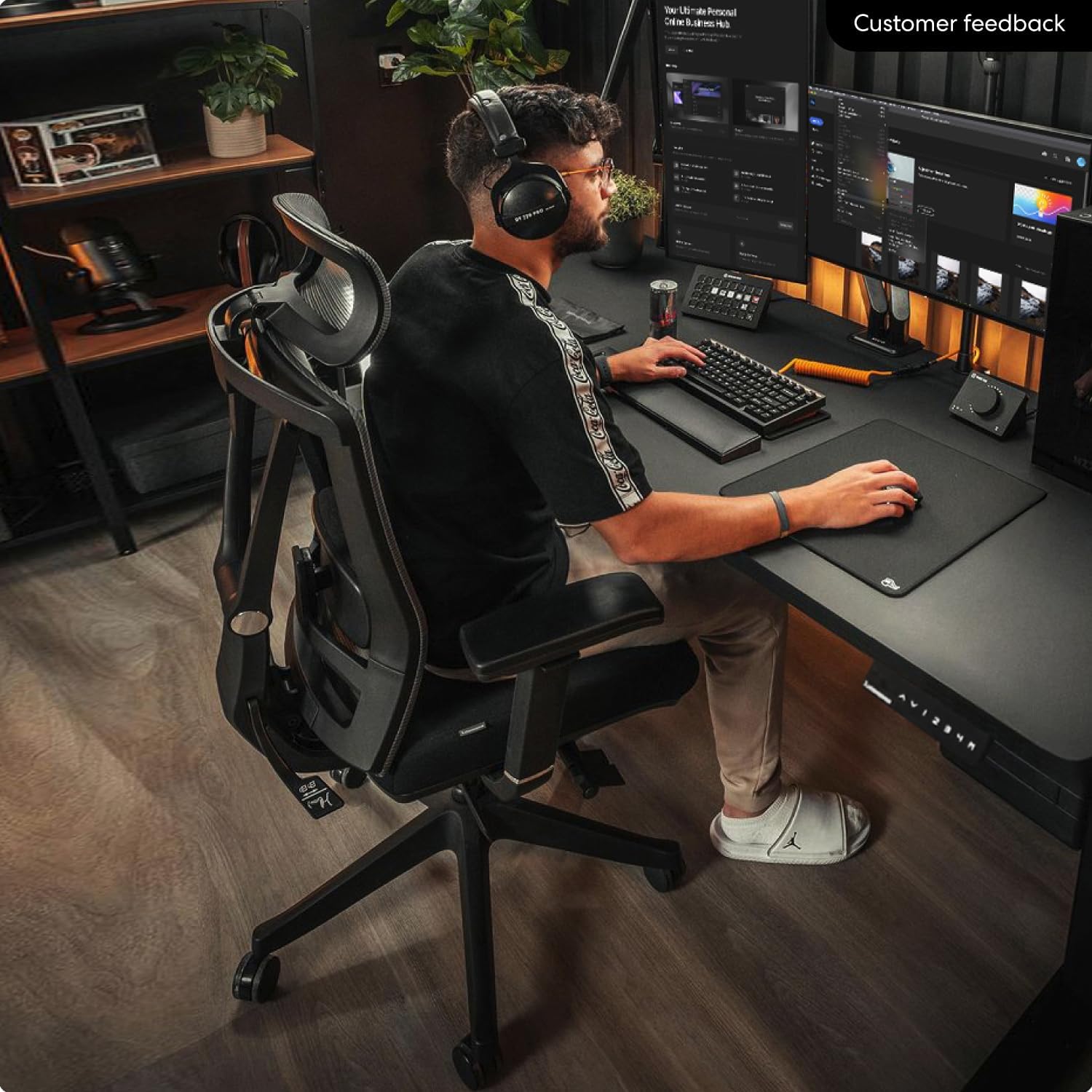
home office setup small space
Building a productive home office in a small space is a puzzle. You need a desk that fits, a chair that supports, a monitor at the right height, decent lighting for video calls, a keyboard that won't wreck your wrists, and ideally a way to stay active — all crammed into a corner of a studio apartment, a bedroom, or a space that doubles as your living room.
Most "home office setup" guides assume you have a dedicated room. This one doesn't. Every recommendation here is selected specifically for small apartments and shared spaces — compact footprints, dual-purpose functionality, and clean aesthetics that don't make your living space feel like a corporate cubicle.
We've built three complete setups at three budget levels — so whether you're spending the minimum or investing in the ultimate small-space office, you'll know exactly what to buy, in what order, and why each piece matters.
(Affiliate Disclosure: This post contains affiliate links, meaning we may earn a commission if you purchase through our links at no extra cost to you.)
The 8 Pieces of a Complete Home Office
Every functional home office — regardless of size or budget — consists of these eight components. You don't need all eight from day one, but understanding what each does helps you prioritize what to buy first and what to add later.
| Piece | What It Does | Priority | Full Guide |
|---|---|---|---|
| 1. Desk | The foundation — everything else sits on or around it | Buy first | Standing desk guide → |
| 2. Chair | Supports your back and posture for hours of sitting | Buy first | Ergonomic chair guide → |
| 3. Keyboard | What your hands touch 8+ hours a day — wrist health depends on it | Buy second | Keyboard comparison → |
| 4. Mouse | Ergonomic mousing prevents wrist and shoulder strain | Buy second | Accessories guide → |
| 5. Monitor setup | Screen height, arm, and positioning for neck health | Buy second | Monitor arm guide → |
| 6. Lighting | Reduces eye strain and improves webcam appearance | Buy second | Accessories guide → |
| 7. Webcam + audio | How colleagues see and hear you on every call | Buy third | Webcam guide → |
| 8. Active movement | Walking pad or standing mat to stay healthy | Buy third | Walking pad guide → |
We'll go through each piece, explain what matters for small spaces specifically, and recommend the best product at each budget level. At the end, we'll put it all together into three complete setups you can buy today.
1. Desk — The Foundation
The desk determines the footprint of your entire home office. In a small apartment, every inch matters. A standard 60" desk designed for a full-sized office will dominate your room. A compact 40"–48" desk gives you enough workspace for a monitor, laptop, and accessories without taking over your living space.
A height-adjustable standing desk is worth the investment over a fixed desk. It lets you alternate between sitting and standing throughout the day — which is one of the best things you can do for your long-term back health. Modern electric standing desks are quiet, reliable, and adjust in seconds with memory presets for your exact sitting and standing heights.
For a deep dive into all the options, see our full best standing desks for small apartments guide.
Our pick — premium: The FlexiSpot E7 Pro is the best compact standing desk available. 48" × 24" desktop, dual motor under 40 dB, 355 lb capacity, four memory presets, built-in cable management, and a 15-year frame warranty. Rock-solid stability even at full standing height — the single biggest differentiator from budget desks.
★ Best Desk — Shop FlexiSpot E7 Pro →Our pick — budget: The FEZIBO 40" Electric Standing Desk gets you electric sit-stand functionality with clever built-in storage (monitor shelf, headphone hook, small drawer) at a fraction of the premium price. The 40" width is ideal for very tight spaces. Single motor is slower and louder than the FlexiSpot, but the core functionality is there.
Budget Desk — Shop FEZIBO 40" →2. Chair — Your Back's Best Friend
Your chair is the second most important piece in your home office — and arguably the one that affects your health the most. A bad chair doesn't just feel uncomfortable; it creates chronic back, neck, and shoulder issues that compound over months and years of daily use.
For a small apartment, look for a chair with a compact footprint and flip-up armrests that let you push it fully under your desk when you switch to standing. This reclaims floor space when the chair isn't in use — critical in tight living areas.
For the full comparison of every option, see our best ergonomic chairs under $300 guide.
Our pick — premium: The HON Ignition 2.0 is the chair that office furniture experts recommend. Commercial-grade build, 4D armrests, adjustable lumbar height and depth, mesh back, 300 lb capacity, and a lifetime limited warranty. It's designed to survive a decade of daily use — and the warranty proves HON believes it will.
★ Best Chair — Shop HON Ignition 2.0 →Our pick — budget: The Hbada Ergonomic Office Chair delivers adjustable lumbar, flip-up armrests (ideal for small spaces), a headrest, and mesh breathability for under $150. The flip-up arms are the key feature for apartments — they let you tuck the chair completely under your desk.
Budget Chair — Shop Hbada Ergonomic →3. Keyboard — What Your Hands Touch All Day
Your keyboard and mouse are the two things you physically interact with for every minute of every work day. A keyboard that's flat, non-split, and forces your wrists into an unnatural angle causes cumulative strain that leads to discomfort, fatigue, and potentially repetitive strain injury over months of daily use.
The choice between ergonomic and mechanical keyboards depends on your priorities — wrist health or typing feel. For the complete breakdown, see our ergonomic vs mechanical keyboard comparison. For quiet options specifically, see our quietest mechanical keyboards guide.
Our pick — ergonomic: The Logitech Ergo K860 is the most recommended ergonomic keyboard by physical therapists. Split layout, curved key rows, integrated wrist rest, wireless multi-device, and a 2-year battery life. If wrist health is your priority, this is the proven choice.
Best for Wrists — Shop Logitech K860 →Our pick — mechanical (budget): The Keychron V6 delivers a premium mechanical typing experience with hot-swappable switches and QMK programmability at a budget price. Full-size layout with number pad for spreadsheet-heavy work. Wired USB-C. The best entry point into mechanical keyboards.
Best Typing Feel — Shop Keychron V6 →4. Mouse — Stop Ignoring Your Wrist
Most people use whatever mouse came with their computer or a cheap wireless mouse from a big-box store. After 8 hours of daily use, the flat, small shape causes wrist and forearm strain that builds silently over weeks. An ergonomic mouse with a sculpted shape that supports your palm in a natural position makes a dramatic difference — one you'll notice within the first day.
For more detail, see our full desk accessories guide.
Our pick: The Logitech MX Master 3S is the best work mouse. Period. Ergonomic sculpted shape, MagSpeed scroll wheel that handles 1,000-line spreadsheets, connects to three devices simultaneously, near-silent clicks, 70-day battery. It pairs perfectly with the K860 keyboard in Logitech's ecosystem.
Best Work Mouse — Shop MX Master 3S →5. Monitor Setup — Height and Space
Two things matter for your monitor in a small home office: getting the screen at eye level (for your neck) and getting the monitor stand off your desk (for space). A monitor arm or stand solves both problems simultaneously.
If you use a laptop without an external monitor, the Moft Laptop Stand is the simplest fix — a thin adhesive stand that attaches to your laptop's bottom and raises the screen 2–3 inches. Invisible when folded, no setup time, always with you.
For external monitors, an arm frees the entire surface area occupied by the factory stand. For the complete comparison, see our monitor arm guide.
Our pick — single/dual premium arm: The Ergotron LX is the industry benchmark. Constant-force spring never sags, 10-year warranty, handles monitors up to 25 lbs. Buy one for a single monitor or two for the most flexible dual setup.
Premium Arm — Shop Ergotron LX →Our pick — budget dual mount: The VIVO V002 is Amazon's #1 dual monitor mount. Fixed pole with adjustable arms — set the height once and forget it. Gets both monitors off your desk at a fraction of the Ergotron price.
Budget Dual Mount — Shop VIVO V002 →Laptop users: The Moft Laptop Stand adds less than 3mm to your laptop when folded. Unfold in one second for a 15° or 25° angle. Always attached, always available. The highest-value accessory on this entire list.
Fix Tech Neck — Shop Moft Stand →6. Lighting — The Most Underrated Upgrade
Most home offices rely on overhead ceiling lights — which create shadows on your desk and glare on your screen. You don't realize how much this affects your eye fatigue until you fix it. A dedicated desk light also dramatically improves how you look on video calls by providing even, front-facing illumination.
Our pick: The BenQ ScreenBar clips onto the top of your monitor, illuminates your desk without glare, and takes up zero desk space. Auto-dimming sensor, adjustable color temperature, USB-powered, installs in 30 seconds. If you buy one accessory from this entire guide, make it this one. See our full accessories guide for more detail.
★ #1 Upgrade — Shop BenQ ScreenBar →7. Webcam + Audio — How Everyone Sees You
Your laptop webcam is terrible — grainy, dark, unflattering. If you're on video calls regularly, a dedicated webcam is a visible professional upgrade. Combined with the BenQ ScreenBar above, the improvement in how you look on calls is dramatic.
For the complete comparison, see our best webcams for working from home guide.
Our pick — best value: The Logitech C920s has been the default work webcam for years. 1080p, reliable autofocus, privacy shutter, dual mics. It works with everything and delivers a significant upgrade over any laptop camera.
Best Value Webcam — Shop C920s →Our pick — premium: The Logitech Brio 500 has noticeably better low-light performance, adjustable field of view, noise-canceling mics, and USB-C. The upgrade from C920s to Brio 500 is the most impactful quality jump in this lineup.
Premium Webcam — Shop Brio 500 →8. Active Movement — Don't Just Sit (or Stand) All Day
A standing desk helps. An ergonomic chair helps. But the single best thing you can do for your body during a work day is move. A walking pad or standing desk mat adds low-effort movement that keeps your blood flowing, burns calories passively, and prevents the stiffness and fatigue that builds from staying in any single position too long.
For the complete walking pad vs treadmill comparison, see our detailed guide. For standing desk mats specifically, see our mat comparison.
Our pick — walking pad: The Sperax Walking Pad is the best value walking pad available. Up to 4 mph, foldable, LED display, remote control, and a price that makes it accessible. Walk during emails, calls, and light tasks — hit 8,000–15,000 extra steps per day without dedicated exercise time.
Walk While You Work — Shop Sperax →Our pick — standing mat: The Ergodriven Topo is the best standing desk mat. The terrain surface encourages unconscious foot movement that extends comfortable standing time by 2–3x. 7-year warranty. If you stand at your desk, this is essential. Budget alternative: Sky Solutions Anti-Fatigue Mat — flat, simple, effective, Amazon's #1 seller.
Cable Management and Connectivity
In a small space, visible cable clutter makes your entire setup feel chaotic. And if your laptop has limited ports, you need a way to connect everything without a tangle of dongles. Two products solve both problems:
Cable management: The Yamazaki Cable Management Box hides your power strip and all the cables plugged into it inside a clean, minimal box. Makes any setup look 10x cleaner.
Connectivity: The Anker 675 USB-C Docking Station turns one cable into 12 ports — including a built-in wireless phone charger on top. Plug one USB-C cable into your laptop and your entire desk setup connects instantly. Budget option: the UGREEN 9-in-1 Hub covers 90% of connectivity needs at a fraction of the cost.
Desk surface: The Orbitkey Desk Mat protects your desk, provides a smooth mouse surface, hides notes under a top flap, and keeps cables organized with a magnetic holder. Ties the entire setup together visually.
Three Complete Setups: Essential, Upgraded, and Premium
Here are three complete home office configurations for small spaces, each built from the best products at that budget level. Every setup is a functional, ergonomic workspace — the tiers add refinement, not necessities.
Covers every core need with proven products. No luxury, all function.
| Piece | Product | Buy |
|---|---|---|
| Desk | FEZIBO 40" Electric Standing Desk | Buy → |
| Chair | Hbada Ergonomic Chair | Buy → |
| Keyboard | Keychron V6 | Buy → |
| Webcam | Logitech C920s | Buy → |
| Lighting | BenQ ScreenBar | Buy → |
| Laptop Stand | Moft Laptop Stand | Buy → |
| Standing Mat | Sky Solutions Anti-Fatigue Mat | Buy → |
| Cable Mgmt | Yamazaki Cable Box | Buy → |
Better desk stability, better chair durability, better connectivity. Where most people should land.
| Piece | Product | Buy |
|---|---|---|
| Desk | FlexiSpot E7 Pro | Buy → |
| Chair | HON Ignition 2.0 | Buy → |
| Keyboard | Logitech Ergo K860 | Buy → |
| Mouse | Logitech MX Master 3S | Buy → |
| Webcam | Logitech C920s | Buy → |
| Lighting | BenQ ScreenBar | Buy → |
| Monitor Arm | VIVO Dual Monitor Mount | Buy → |
| Standing Mat | Ergodriven Topo Mat | Buy → |
| Connectivity | UGREEN 9-in-1 Hub | Buy → |
| Desk Mat | Orbitkey Desk Mat | Buy → |
| Cable Mgmt | Yamazaki Cable Box | Buy → |
Every piece is the best in its class. Quieter, smoother, longer-lasting. The setup you'll use for a decade.
| Piece | Product | Buy |
|---|---|---|
| Desk | FlexiSpot E7 Pro | Buy → |
| Chair | HON Ignition 2.0 | Buy → |
| Keyboard | Logitech Ergo K860 | Buy → |
| Mouse | Logitech MX Master 3S | Buy → |
| Webcam | Logitech Brio 500 | Buy → |
| Lighting | BenQ ScreenBar | Buy → |
| Monitor Arm | Ergotron LX | Buy → |
| Standing Mat | Ergodriven Topo Mat | Buy → |
| Walking Pad | Sperax Walking Pad | Buy → |
| Connectivity | Anker 675 Dock | Buy → |
| Desk Mat | Orbitkey Desk Mat | Buy → |
| Cable Mgmt | Yamazaki Cable Box | Buy → |
Buying Order: What to Get First
Don't try to buy everything at once. Build your setup in this order for maximum impact at each stage:
Week 1 — The Foundation: Desk + Chair. These two pieces transform any space into a functional office. Everything else layers on top. Get your standing desk and ergonomic chair first.
Week 2–3 — Input Devices: Keyboard + Mouse + Laptop Stand. These are what you physically interact with all day. The K860 + MX Master 3S combo is the best upgrade for daily comfort.
Week 4 — Lighting + Webcam: The BenQ ScreenBar + Logitech C920s combo transforms your video call presence. Together they cost less than most single accessories and deliver the most visible improvement to how colleagues see you.
Month 2 — Polish: Monitor arm, standing desk mat, cable management, desk mat, hub/dock. These are the details that turn a functional setup into a polished one. Each adds comfort, aesthetics, or convenience that compounds over daily use.
Month 3+ — Active Movement: Walking pad. This is the last addition because it requires the most floor space and the highest investment, but it delivers the biggest long-term health benefit of any single piece in your office.
Small Space Tips That Make a Big Difference
The products matter, but how you arrange them in a small space matters just as much. These layout and organization strategies maximize functionality without adding cost.
Corner placement is king. Pushing your desk into a corner gives you the illusion of a dedicated office area even in a studio apartment. The corner provides two walls for shelving above the desk and creates a natural visual boundary between "work space" and "living space." This psychological separation helps you switch between work mode and personal mode — something remote workers consistently struggle with in open layouts.
Go vertical. Floor space is precious. Wall-mounted shelves above your desk, a pegboard for accessories, or floating shelves for books and supplies use wall space that's otherwise wasted. Keep the desk surface itself minimal — keyboard, mouse, laptop/monitor, and the ScreenBar. Everything else goes up, under, or inside.
Hide the office when you're done. In a studio or shared room, being able to visually "close" your office at the end of the day matters for mental health. Lower your standing desk to its lowest height, tuck the chair underneath (flip-up armrests help), and slide the walking pad under the desk or sofa. The cable management box keeps everything tidy when visible.
Face natural light if possible. Position your desk so you're facing or at a 90-degree angle to a window. Natural light improves mood, energy, and how you look on webcam. Never sit with a window directly behind you — it creates a silhouette that even the best webcam can't fully correct.
Separate work from sleep. If your office is in your bedroom, position the desk so you can't see your screen from your bed. This creates a psychological boundary that helps you fall asleep without thinking about unfinished work. A simple room divider, bookshelf, or even a curtain between your desk and bed makes a measurable difference in sleep quality.
Frequently Asked Questions
How much space do I need for a home office in a small apartment?
The minimum is about 4' × 3' (12 square feet) — enough for a compact 40" desk and a chair. A more comfortable setup with a walking pad underneath needs about 4' × 5'. A corner placement in a studio apartment typically requires a 5' × 5' corner. The key is choosing compact products: a 40"–48" standing desk, a chair with flip-up arms that tucks under, and a foldable walking pad that stores flat.
What's the most important piece to invest in for a home office?
Your chair. It's the one piece that most directly affects your physical health over time. A bad desk is inconvenient; a bad chair causes chronic back pain. If you can only spend on one premium piece, make it the chair. The HON Ignition 2.0 with its lifetime warranty is the best long-term value in this entire guide.
Can I build a good home office for under $500?
Yes — the Essential Setup tier above covers desk, chair, keyboard, webcam, lighting, laptop stand, standing mat, and cable management at the budget level. You'll have a fully functional, ergonomic workspace that's dramatically better than working on a kitchen table or couch. Upgrade individual pieces over time as your budget allows — the buying order section above tells you what to upgrade first for maximum impact.
Standing desk or regular desk — which is better for a small apartment?
A standing desk. For the same footprint, you get dual functionality — sitting AND standing — which is better for your health and means you alternate positions throughout the day instead of being locked into one. Modern electric standing desks in the 40"–48" range don't take up any more space than a fixed desk. The FEZIBO 40" is one of the most compact standing desks available.
How do I make a home office look good in a studio apartment?
Three things: cable management (the Yamazaki box makes the biggest visual difference for the least money), a cohesive color scheme (match your desk, chair, and accessories — black/dark gray is the easiest), and surface cleanliness (a desk mat anchors the setup visually, and a monitor arm eliminates the bulky factory stand). The goal is "intentional" — a setup that looks like you planned it, not like you piled electronics on a table.
Start Building Your Home Office Today
You don't need to buy everything at once. Start with the two pieces that matter most — a desk and a chair — and build from there:
Deep Dive Guides for Every Piece
Each product category above has its own dedicated guide with full reviews, comparisons, and more options:
👉 Best Standing Desks for Small Apartments — 7 desks reviewed, including wall-mounted and converter options.
👉 Best Ergonomic Office Chairs Under $300 — 7 chairs compared across lumbar support, adjustability, and durability.
👉 Ergonomic vs Mechanical Keyboard — 8 keyboards compared for comfort, typing feel, and wrist health.
👉 Best Webcams for Working From Home — 7 webcams from budget to 4K for video calls.
👉 Walking Pad vs Under-Desk Treadmill — 6 machines compared for walking while working.
👉 Best Monitor Arms for Dual Screen Setup — 7 arms from budget to premium for freeing desk space.
👉 Best Standing Desk Mats — 7 mats compared for anti-fatigue comfort.
👉 Best Desk Accessories Worth Buying — 15 accessories that solve real problems.
👉 Quietest Mechanical Keyboards for the Office — Silent switches for apartment living.
👉 Best Under-Desk Treadmills for Small Apartments — Your existing guide to staying active.
A great home office doesn't require a dedicated room — just smart choices that make the most of your space. Share this guide with anyone setting up a home office in a small apartment. Their back, wrists, eyes, and productivity will thank you.